How do my guests access their RSVP?
Your guests can access your RSVP forms on your Hey Wedding Day website in several different ways:
- Searching by name
- Entering a passcode
- Using a magic link
- Scanning a QR code
Searching by name
Guests can search for their party by entering their name. Even a first name is usually enough (e.g. searching John will match John Smith).
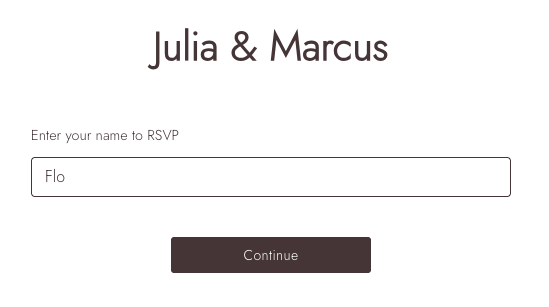
Matching results are grouped into parties. Guests simply select their party to continue.
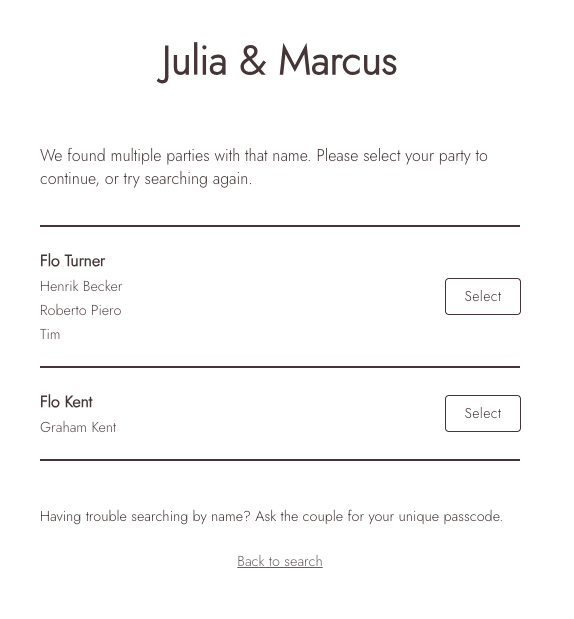
To let guests search by name, enable Allow guests to sign in using their name in your website settings.
Guests who are not on the guest list
Turn on Open Invitation for a form if you want people who are not already on your guest list to be able to RSVP. Their details will be added to your guest list when they respond.
Can someone RSVP if I haven’t added them to my guest list? (Open invitation)Entering a passcode
Each party has a unique passcode which can always be used to access their RSVP.
Please note: This passcode is different from any password you set for your RSVP page.
More information can be found here.
Using a magic link
Each party can be given a unique magic link that takes them directly to their RSVP.
Enable this in the website settings, then copy the link from Guest Management.
Using a QR code
Each party can also access their RSVP using a unique QR code.
See here for QR code instructions.For an overview of the guest experience and response tools, explore our online wedding RSVP feature.